Physically based auto depth of field overview
Get started with Physically based auto depth of field, a runtime autofocus and physical lens depth-of-field system for Unity 6 HDRP and URP that intelligently focus-pulls as you move through a scene.
Available now: Version 1.4.0
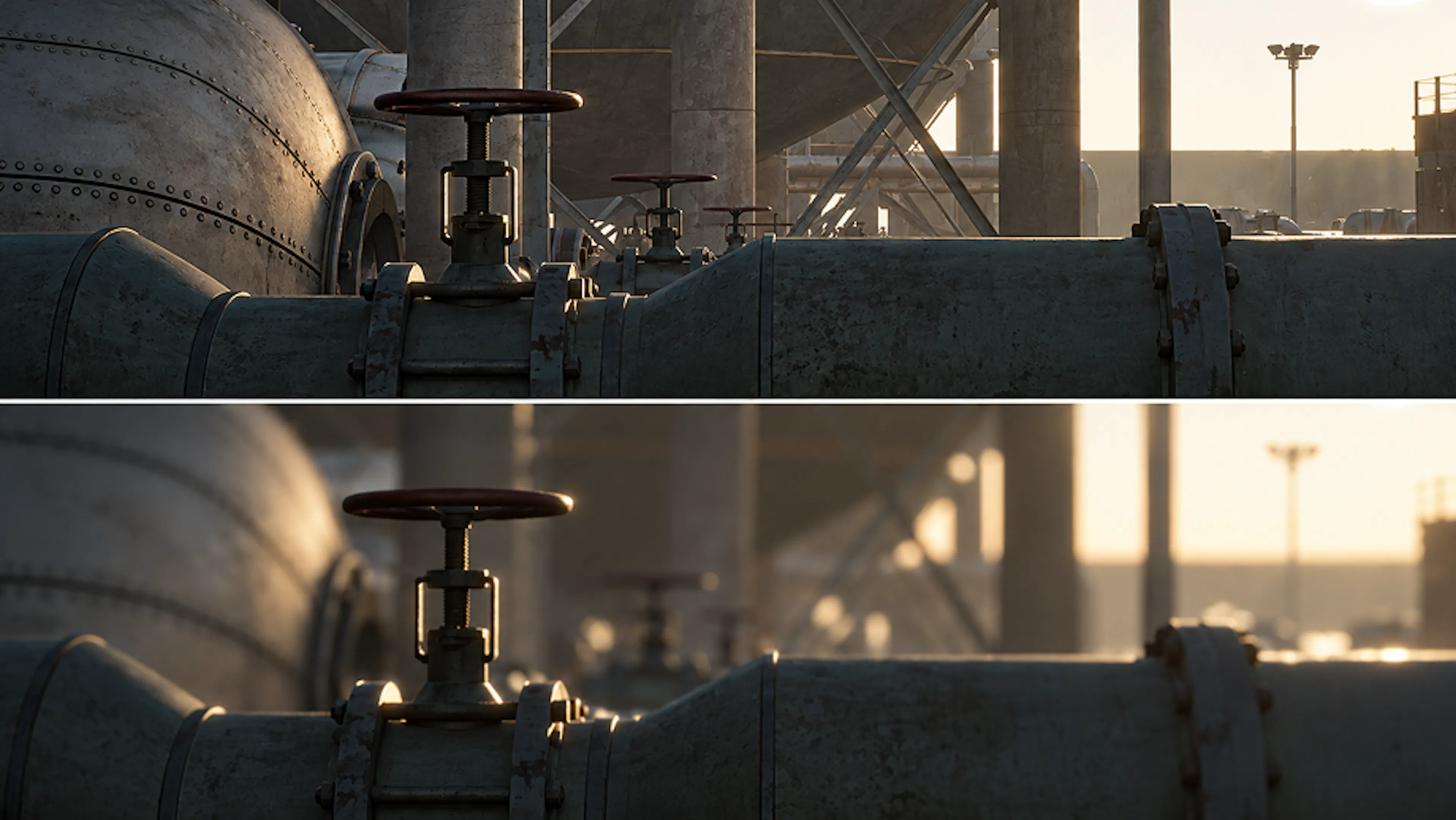
Physically based auto depth of field at a glance
Physically based auto depth of field (PBADOF) is a runtime autofocus and physical-lens depth-of-field system for Unity 6. It measures focus candidates with allocation-conscious physics raycasts, stabilises the selected distance, and drives the render pipeline's physical depth-of-field controls, so your camera focus-pulls naturally as it moves through a scene, without manual keyframes or fixed focus distances.
A dynamic aperture adapts to your scene, adding bokeh and depth to nearby objects while transitioning to an open-world view on the fly. The system harmonises with the Unity Volume Framework and offers optional Cinemachine 3 integration for blending gameplay and cinematic shots.
Key capabilities
- Ray-based focus acquisition: Centre-ray or multi-ray sampling with configurable accuracy, interaction layer filtering, and closest-hit sorting
- Physical lens model: Aperture, focal length, and bokeh driven by real-world camera parameters
- Override volumes: Spatial, camera fallback, and aim-down-sight (ADS) volumes that blend focus and lens settings across your scene
- Presets: Reusable
DepthOfFieldPresetassets for camera rigs, weapon lenses, and volume overrides - Focus proxy: Physics colliders fitted to renderer-only objects so raycasts can hit them
- Glass traversal: Focus correction when looking through tagged colliders like windows or display cases
- Cinemachine 3 integration: Optional adapter with configurable lens authority modes (experimental)
- Diagnostics: Focus debug snapshots, readiness checks, and runtime camera overlays
- Showcases: Five demo categories plus a 21-station technical lab for HDRP and URP
- Smart Subject mode: Semantic focus targets with configurable Priority, focus hints for soft preference, and temporal subject tracking that holds stable focus through brief occlusions and camera cuts
- Ground Assist: Real ground-ray fallback when the camera looks downward, with configurable Ground Layers and Maximum Ground Slope; never extrapolates a ground plane beyond a ledge
Explore the documentation
Getting started
Install the asset, verify prerequisites, and get autofocus working in minutes with the quick start guide.
Core concepts
Understand focus acquisition, the physical lens model, override volumes, and focus proxies.
Cinemachine 3 integration
Blend gameplay and timeline shots with optional Cinemachine 3 lens authority modes.
Showcases and demos
Five showcase categories and a 21-station technical lab for HDRP and URP.
API reference
C# component members, static API, override volume, and focus proxy interfaces.
Compatibility
Render pipeline, Unity version, Cinemachine, XR, and DXR support matrices.
If you are completely new to HIBIKI, start with the general introduction and Quickstart before diving into asset-specific details.